Attendance and time tracking issues usually don’t appear on the first day of operation. They emerge after a couple of weeks when the HR team notices that biometric device records don’t match shifts in the system, that lateness is calculated differently, overtime is handled inconsistently, and some employees’ records don’t appear at all in Odoo. At this point, integrating the BioTime biometric device with Odoo becomes an operational project, not just a technical connection between two systems.
If your goal is to rely on attendance as part of the HR and payroll workflow, the most important factor is not just transferring data, but ensuring that correct data reaches the right place, at the right time, in a structure that matches your internal policies. This is the difference between a superficial integration and one you can depend on daily.
What does integrating the BioTime biometric device with Odoo mean?
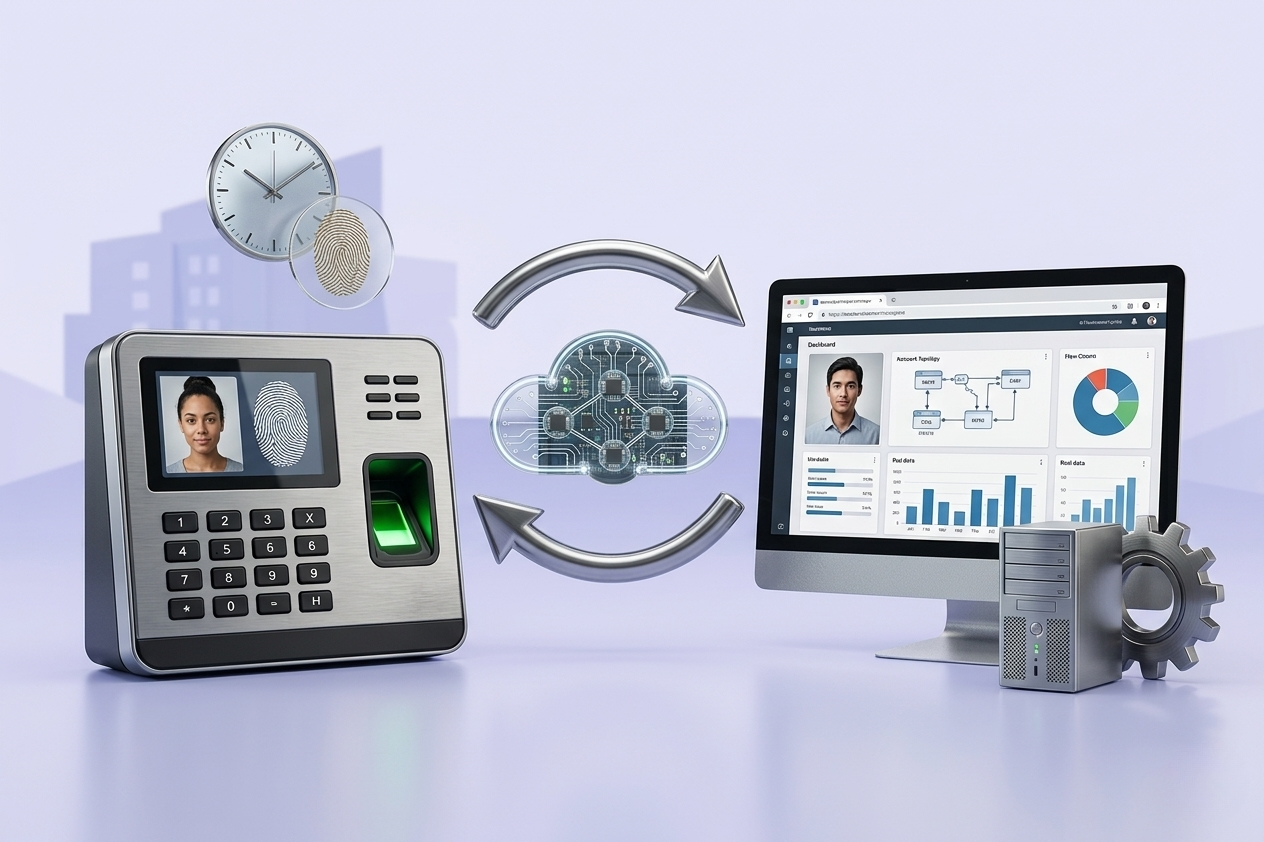
It doesn’t always mean connecting the device directly. Often, it means linking the BioTime platform—which collects readings from devices and manages users and records—to Odoo so that attendance data flows into HR, time tracking, and sometimes payroll modules. This distinction is important because the integration method varies depending on your current setup.
In some companies, devices are spread across multiple branches and connect to BioTime, which then pushes records to Odoo via API, intermediate files, or a custom connector. In others, synchronization of employees from Odoo to BioTime first is required, followed by sending attendance back to Odoo. Choosing one-way or two-way synchronization depends on which system is the primary source of truth for your data.
When is integration an operational necessity?
When manual entry or Excel review occurs between the systems, you are paying a hidden cost every month. This cost shows up not only in HR time but also in payroll errors, approval conflicts, and reduced ability to monitor actual compliance with attendance across departments and locations.
Integration becomes even more important if you have multiple shifts, operational locations, early departures or late arrivals, or overtime policies requiring managerial approval. In these cases, raw device readings are insufficient. They must be interpreted inside Odoo to match actual work policies.
Before starting BioTime integration with Odoo
The most successful projects start with a simple yet critical analysis: where does the primary truth for each data type come from? Is Odoo the source of truth for employee, department, and contract data? Will BioTime only serve as the source for check-in/check-out records? Or do you have shift setups already built in BioTime that you want to preserve?
This decision affects the entire project. If Odoo is the primary source for employees, it’s best to synchronize employee IDs, branches, departments, and job status from Odoo to BioTime to reduce duplication. If employee data has been managed in BioTime for years, a data cleaning and alignment phase may be necessary before direct operation.
Three elements should also be reviewed early: shift structure, handling of missing readings, and employee matching between systems. Many integration problems arise not from the API, but because an employee is registered with one ID in Odoo and a different one in BioTime.
How does integration work in practice?
The most common scenario is that BioTime collects readings from biometric devices, then exposes them through an integration interface for Odoo to fetch periodically. Records are then processed in Odoo, converting raw readings into attendance, lateness, early departure, or actual working hours according to HR settings.
Sometimes clients also request two-way synchronization, creating or updating employees in BioTime when added in Odoo. This is operationally useful because it reduces duplicate entry, but requires clear rules, especially for suspended employees, branch transfers, or schedule changes.
Here’s an important point: not all direct integration is best. If your BioTime version is limited in interfaces, or your network environment prevents direct connection, an intermediary solution may be more stable. Reliability, traceability, and alerting on synchronization failures are most important.
Which data should be standardized?
Successful integration depends on standardizing a small set of core data: employee ID, work location, shift or schedule, and time zone if operating across multiple cities or countries. Policies for field employees or those working across branches must also be clear.
If these fields aren’t standardized, readings will transfer but with no operational value. Attendance records may not link to contracts, or employees may show activity in the system without properly reflecting in HR reports or payroll calculations.
Common project challenges
Most challenges are operational, not purely technical. The first is incomplete readings—an employee clocks in but not out, uses a device at a different branch, or network interruptions delay synchronization. The system must handle these: create an exception? send a notification? wait for HR review?
The second challenge is differing time logic between BioTime and Odoo. Some companies rely on first-in, last-out; others on grace periods, unpaid breaks, or minimum work hours before counting a day. No single setting fits all, so internal policies must be translated into clear Odoo rules.
The third is performance post-launch. Integration that works with 20 employees in testing may face issues when deployed across 1,000 employees at multiple sites. Testing with realistic loads and scheduling synchronization appropriately is critical, with a clear error log for reference.
Is standard integration enough, or do you need customization?
This depends on your environment’s complexity. If you have a simple attendance policy, stable employee data, and only need to transfer readings to Odoo, a standard connector or limited integration may suffice. If you have variable shifts, approval rules for overtime, or direct payroll integration, careful customization will likely be needed.
Customization doesn’t mean unnecessary complexity. It means building logic that matches the actual work environment. For example, some companies need to exclude readings from unauthorized locations or calculate lateness differently between administrative and field staff. These details cannot be handled by generic settings.
How to manage the project with minimal risk?
The best methodology starts with a short gap analysis workshop including HR, IT, and operations. Map data flow from employee → device → BioTime → Odoo, assigning responsibilities at each stage. Then proceed to matching, cleaning, testing with a real sample, and phased deployment.
Phased deployment is often better than a full rollout. Start with a single branch or department, review results for one payroll cycle before scaling. This gives the team a chance to handle real-world exceptions that usually don’t appear in a test environment.
Post-launch support is not optional. The first month always uncovers cases needing adjustments—schedules, synchronization, or user permissions. Serious organizations treat integration as part of an end-to-end implementation path, not just a technical task that ends once the first connection succeeds.
What do you actually gain from this integration?
The real benefit is not just reduced manual entry. The biggest gain is having attendance fully trusted as part of a unified operational view within Odoo. Management can monitor compliance, compare branches, link productivity to actual working hours, and reduce payroll disputes due to data discrepancies.
Governance improves too. When readings, exceptions, approvals, and reports are in one system, tracking becomes much easier, reducing reliance on scattered files or individual knowledge. This is critical for fast-growing companies or those operating across multiple locations.
In our integration projects, the goal is always for the link to match actual workflow rather than forcing teams to adapt to incomplete processing. You can explore the full scope of Odoo enterprise integration services at globalsolutions.sa if you plan to integrate attendance as part of a wider ERP project.
When is the right time to start?
If payroll is delayed due to attendance review, branches use different tools, or you are about to launch Odoo HR, this is the right timing. If employee data is messy or attendance policies are inconsistent, it may be better to standardize the basics before integration.
The correct decision isn’t always the fastest. Sometimes an extra week of analysis saves months of manual corrections and disputes. When the integration is built on a clear understanding of policies, data, and daily operations, it transforms from a simple technical link to a true control point supporting growth and operational discipline.